
How to Buy Cryptocurrencies via WEEX P2P?

 Prefer us on Google

Below is a step-by-step guide on how to buy cryptocurrencies via WEEX P2P. Follow these steps to ensure a safe, efficient, and smooth transaction process.
For Mobile Devices:
Step 1: Access the P2P trading page
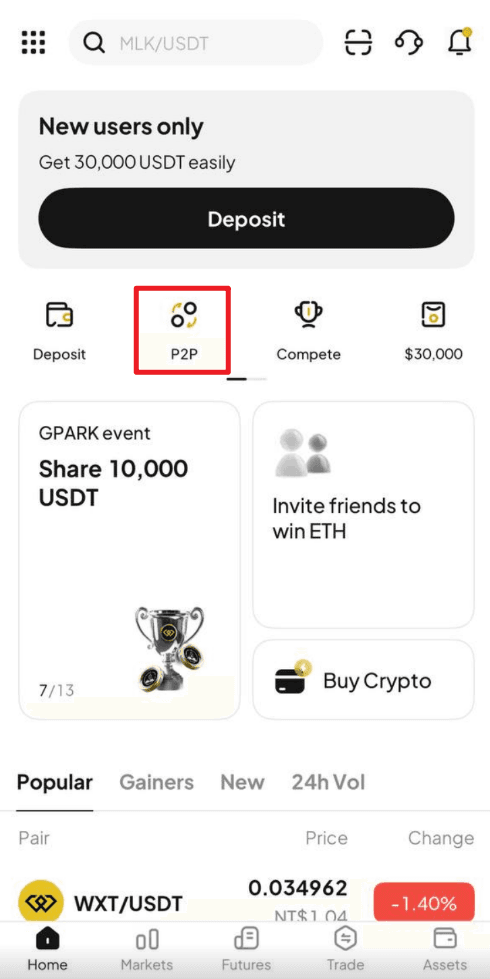
On the WEEX App, Click "P2P " from the front page.
Step 2: Set up or confirm your payment method
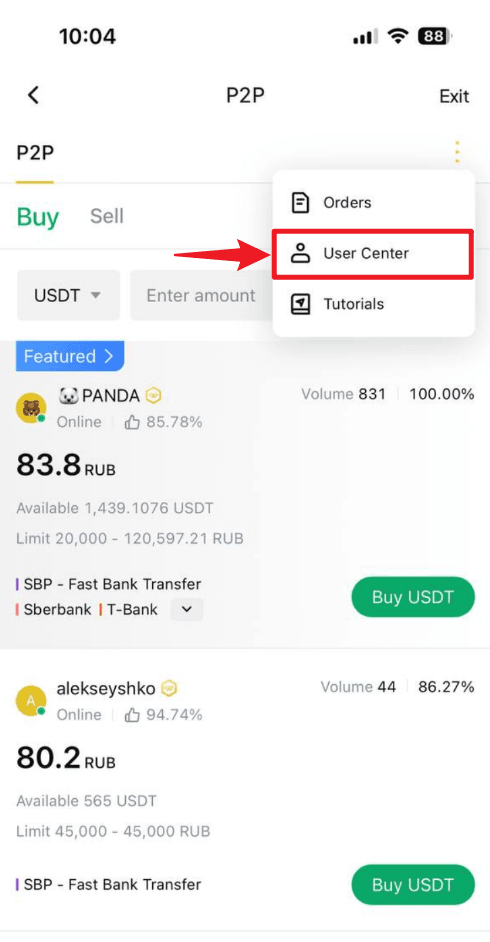
- Navigate to the "P2P management" page: Click the "More" (three-dot icon) in the top right corner, then select "User center."
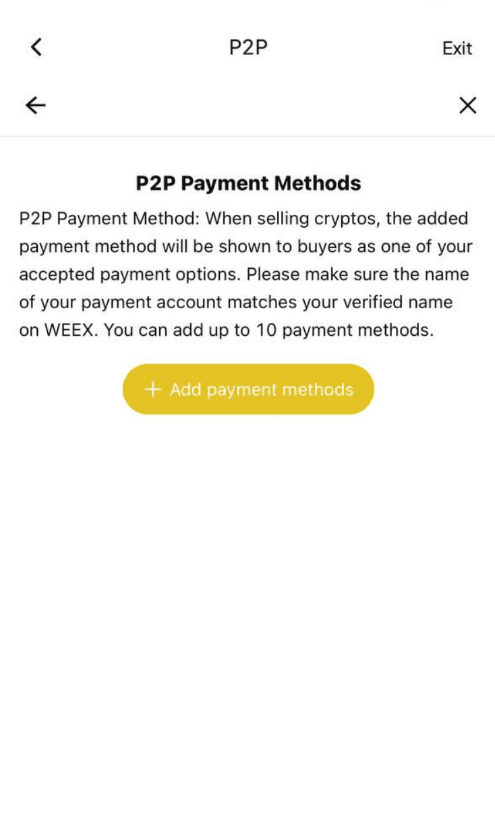
- Under "P2P payment method", click "Add payment method".
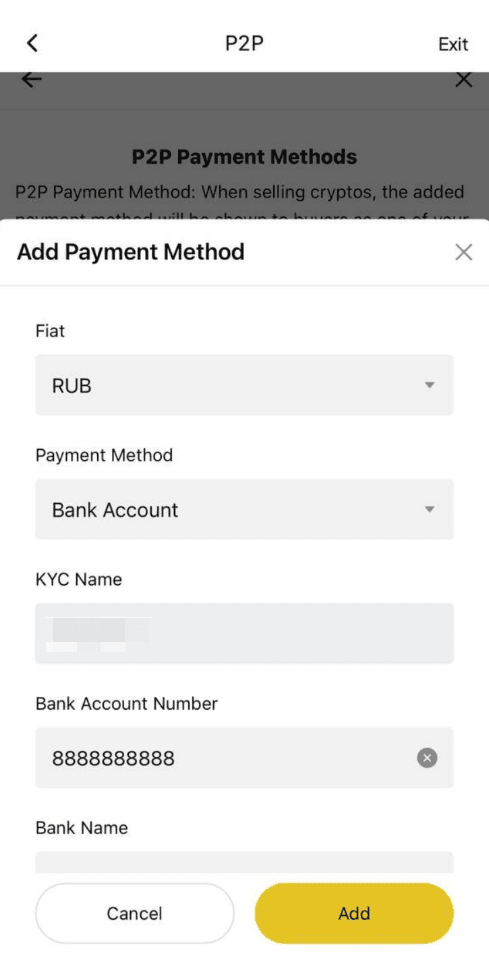
- Fill in your preferred payment details. Please ensure that the account name you provided matches the name used for your KYC verification on WEEX.
Step 3: Select a seller and place your order
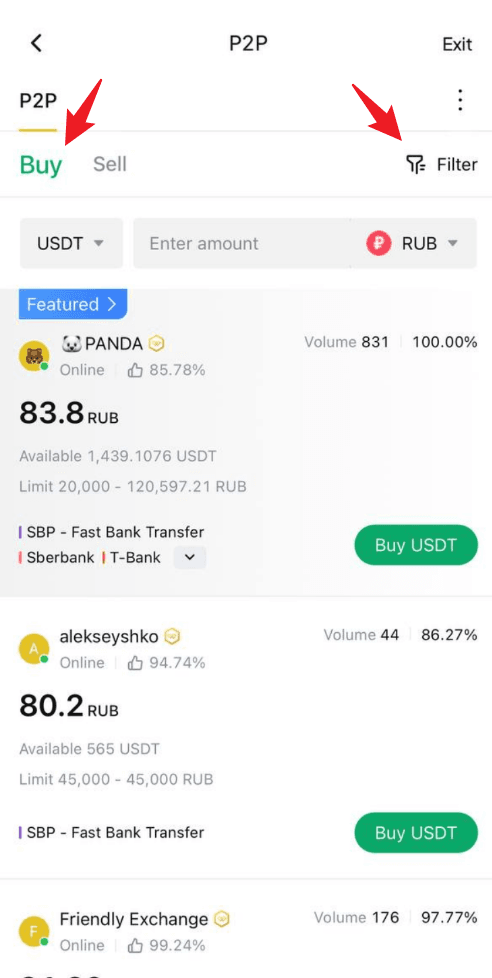
- On the P2P page, click the "Buy" tab and select the cryptocurrency you wish to buy, such as USDT, BTC, etc.
- Use the filters to set your trading preferences: - Select the cryptocurrency you want to buy - Enter the amount of fiat currency you'd like to use - Choose your preferred payment method
- Browse the list of available sellers. Focus on these key details: - Price per unit of crypto - Transaction limits - Seller’s order completion rate
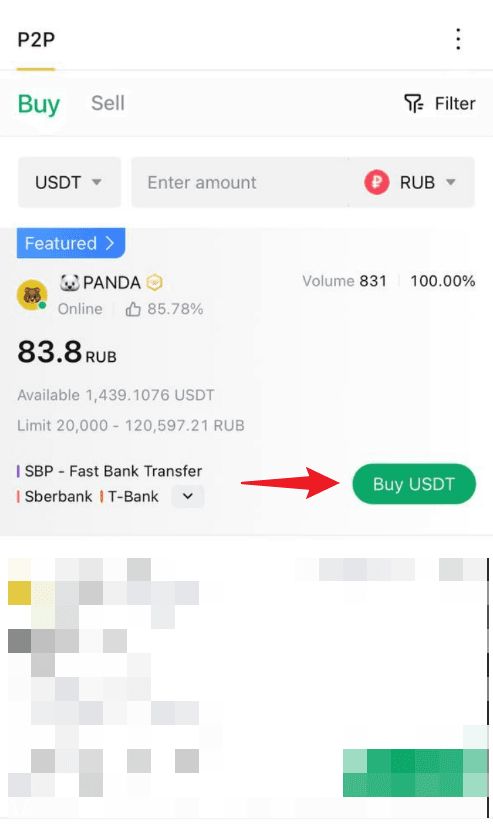
- Once you’ve found a suitable seller, click "Buy" next to their listing to initiate the order.
Step 5: Make the payment
- Transfer the specified amount to the seller’s account, following the payment details shown on the page.
- Payment notes: - Ensure the payment amount exactly matches the order amount - Double-check the seller’s information before completing the payment - Avoid using sensitive words like "cryptocurrency", "BTC", "P2P", or "WEEX" in the payment notes
- After completing the payment, return to the order page and click "Transfer Completed, Notify Seller".
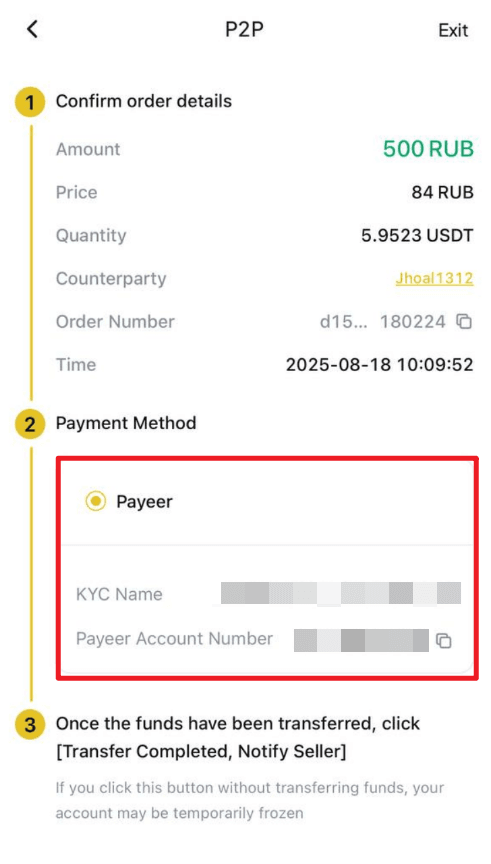
- Important notes: - Always use the payment method specified by the seller to complete the transaction - Do not click "Cancel order" before receiving a refund from the seller - Do not click "Transfer Completed, Notify Seller" until the payment is fully completed
Step 6: Receive the cryptocurrency
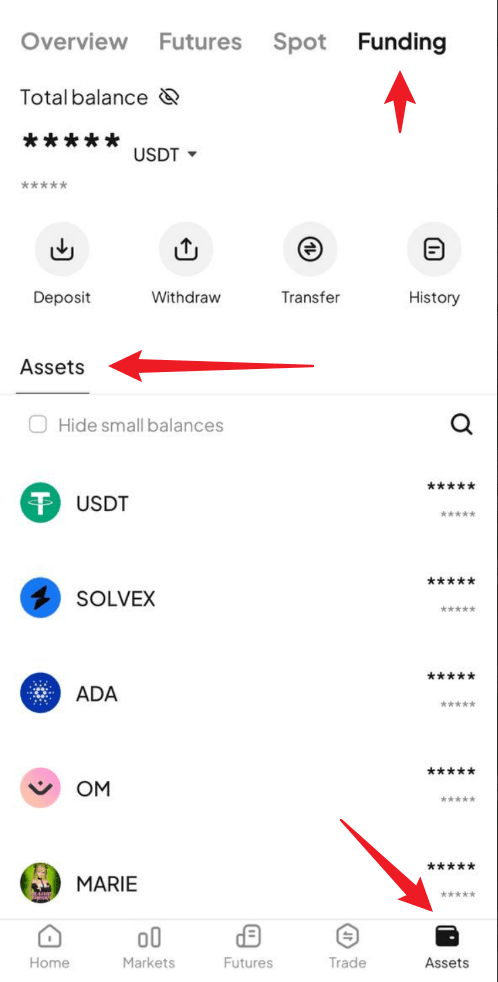
- Once the seller confirms receipt of payment, the cryptocurrency will be released to your WEEX funding account.
- You can then go directly to your Funding Account to view your purchased crypto assets.
For Web Users:
Step 1: Access the P2P trading page
On the WEEX website, go to the trading page by selecting "P2P trading" from the navigation bar.
Step 2: Set up or confirm your payment method
- Navigate to the "P2P management" page: Click the "More" (three-dot icon) in the top right corner, then select "User center."
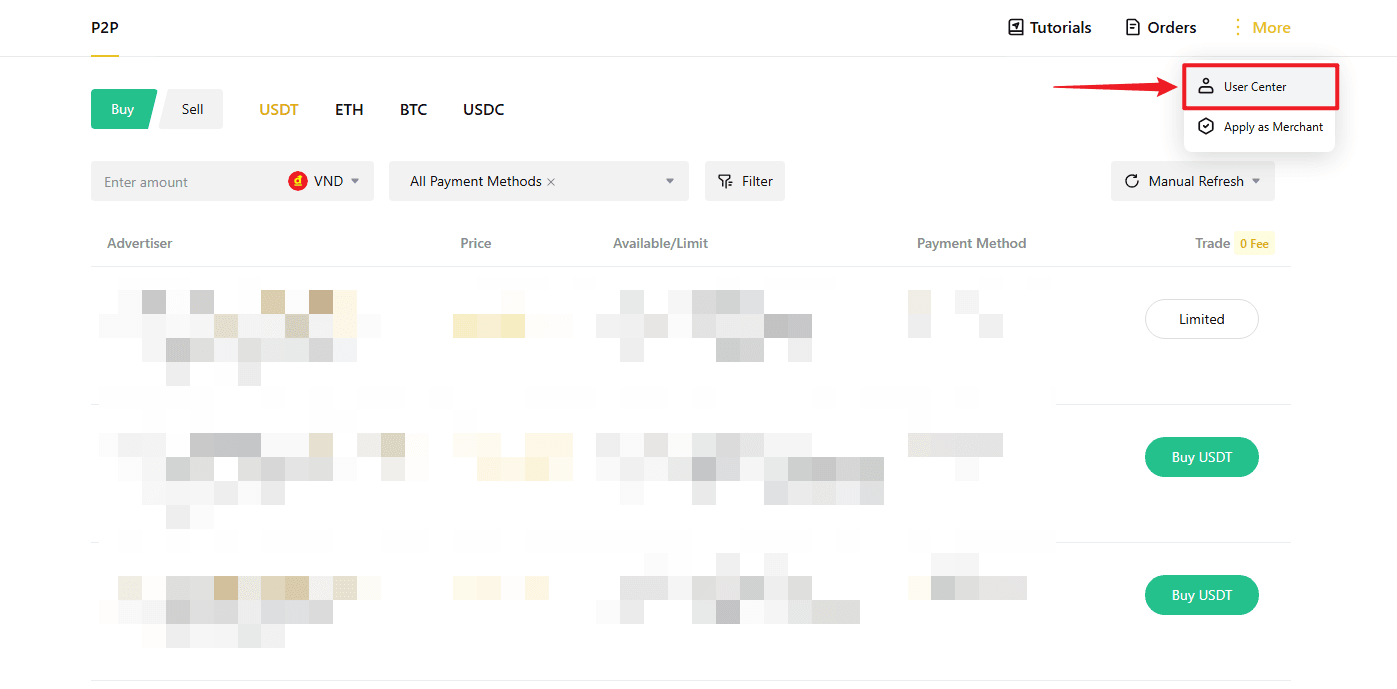
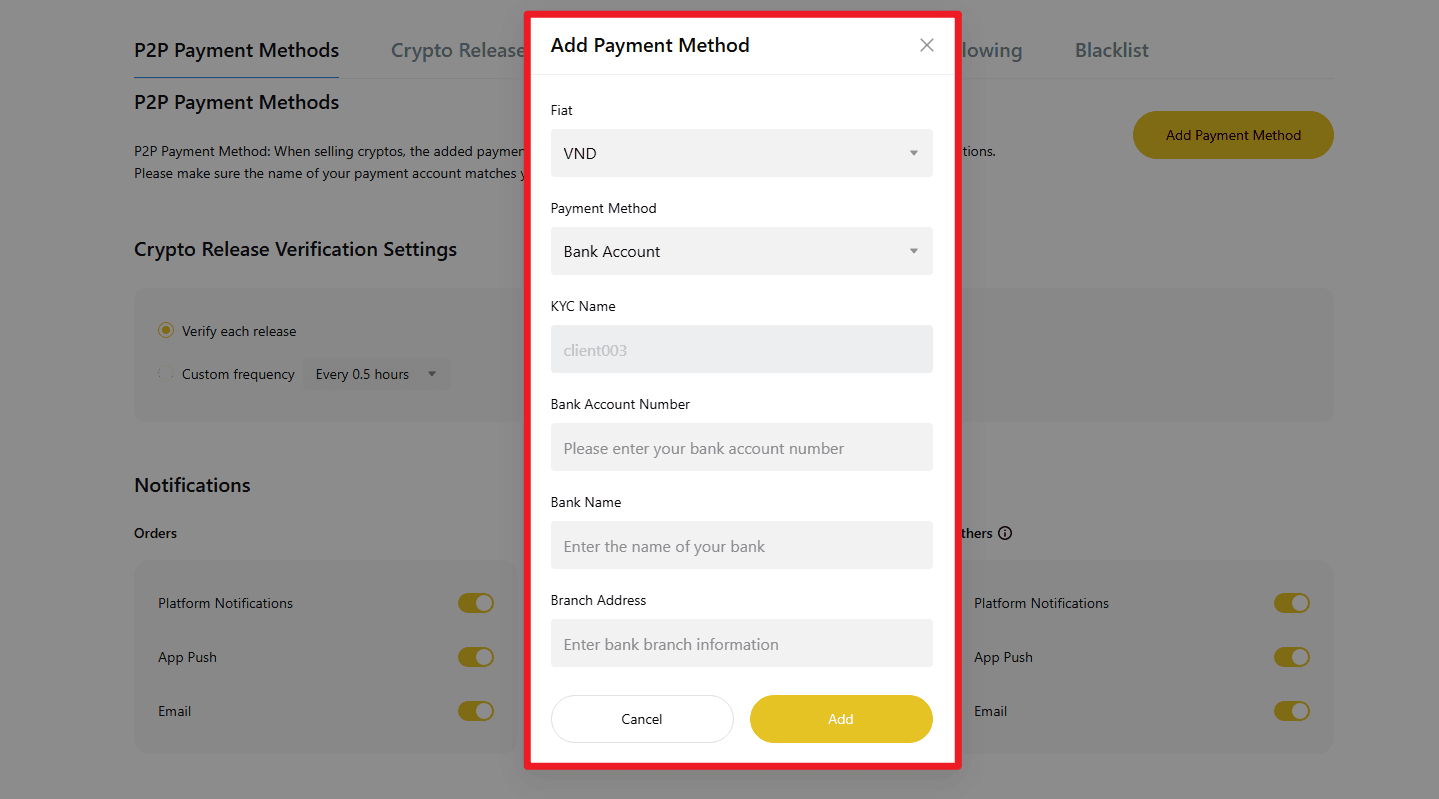
- Under "P2P payment method", click "Add payment method".

- Fill in your preferred payment details.
Please ensure that the account name you provided matches the name used for your KYC verification on WEEX.
Step 3: Select a seller and place your order
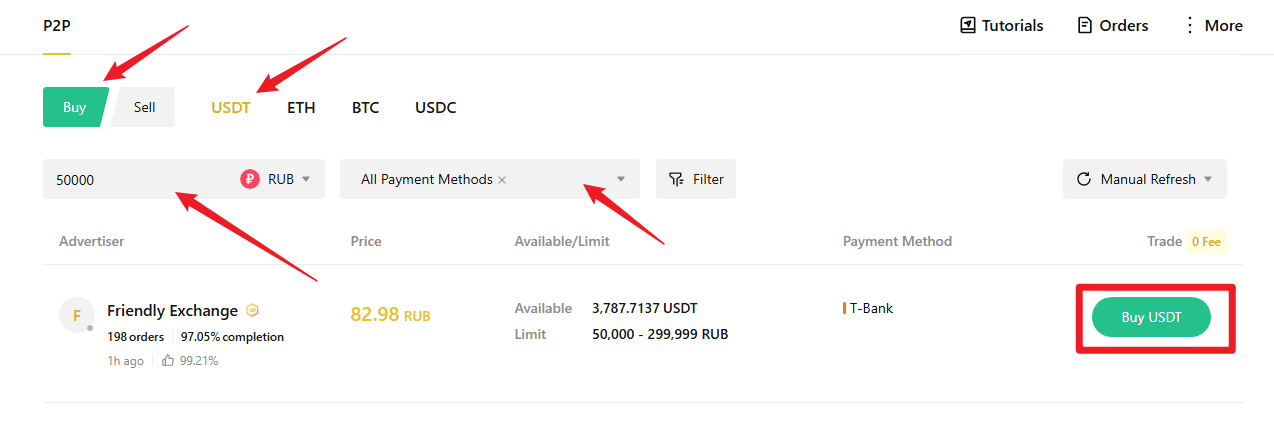
- On the P2P page, click the "Buy" tab and select the cryptocurrency you wish to buy, such as USDT, BTC, etc.
- Use the filters to set your trading preferences: - Select the cryptocurrency you want to buy - Enter the amount of fiat currency you'd like to use - Choose your preferred payment method
- Browse the list of available sellers. Focus on these key details: - Price per unit of crypto - Transaction limits - Seller’s order completion rate
- Once you’ve found a suitable seller, click "Buy" next to their listing to initiate the order.
Step 4: Enter order details and confirm
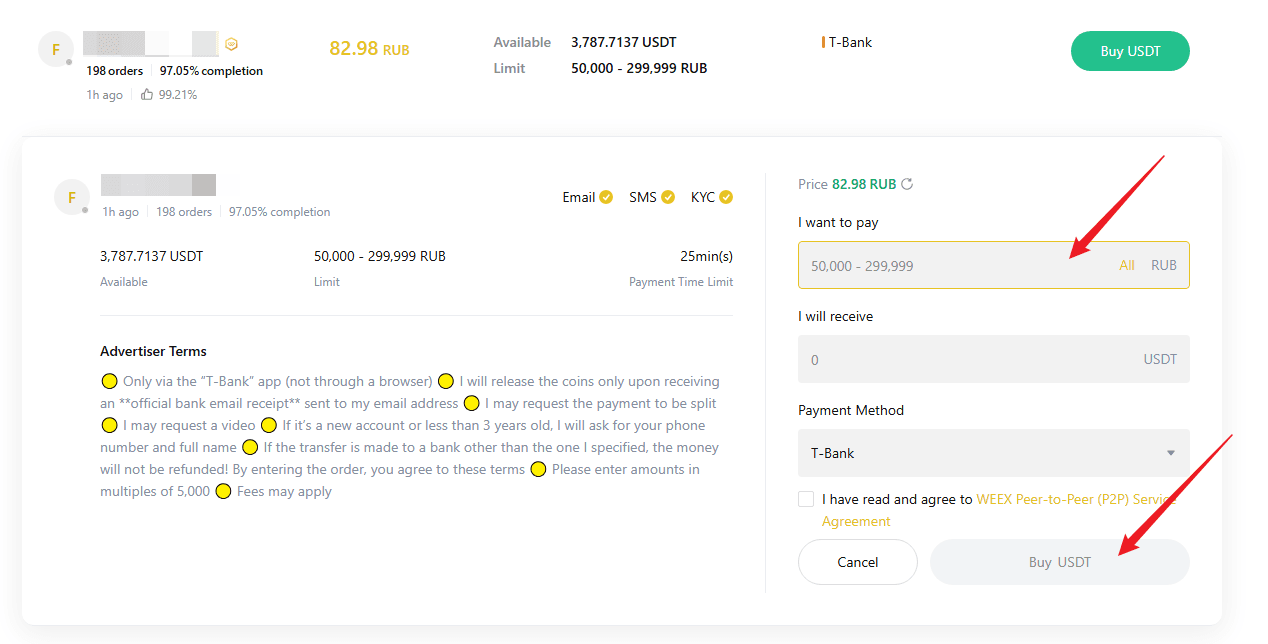
- Enter the amount of cryptocurrency you want to buy or enter the amount based on fiat currency.
- Review the transaction limits and order instructions to ensure everything meets your expectations.
- Once confirmed, click "Buy" to finalize your order.
Step 5: Make the payment
- Transfer the specified amount to the seller’s account, following the payment details shown on the page.
- Payment notes: - Ensure the payment amount exactly matches the order amount - Double-check the seller’s information before completing the payment - Avoid using sensitive words like "cryptocurrency", "BTC", "P2P", or "WEEX" in the payment
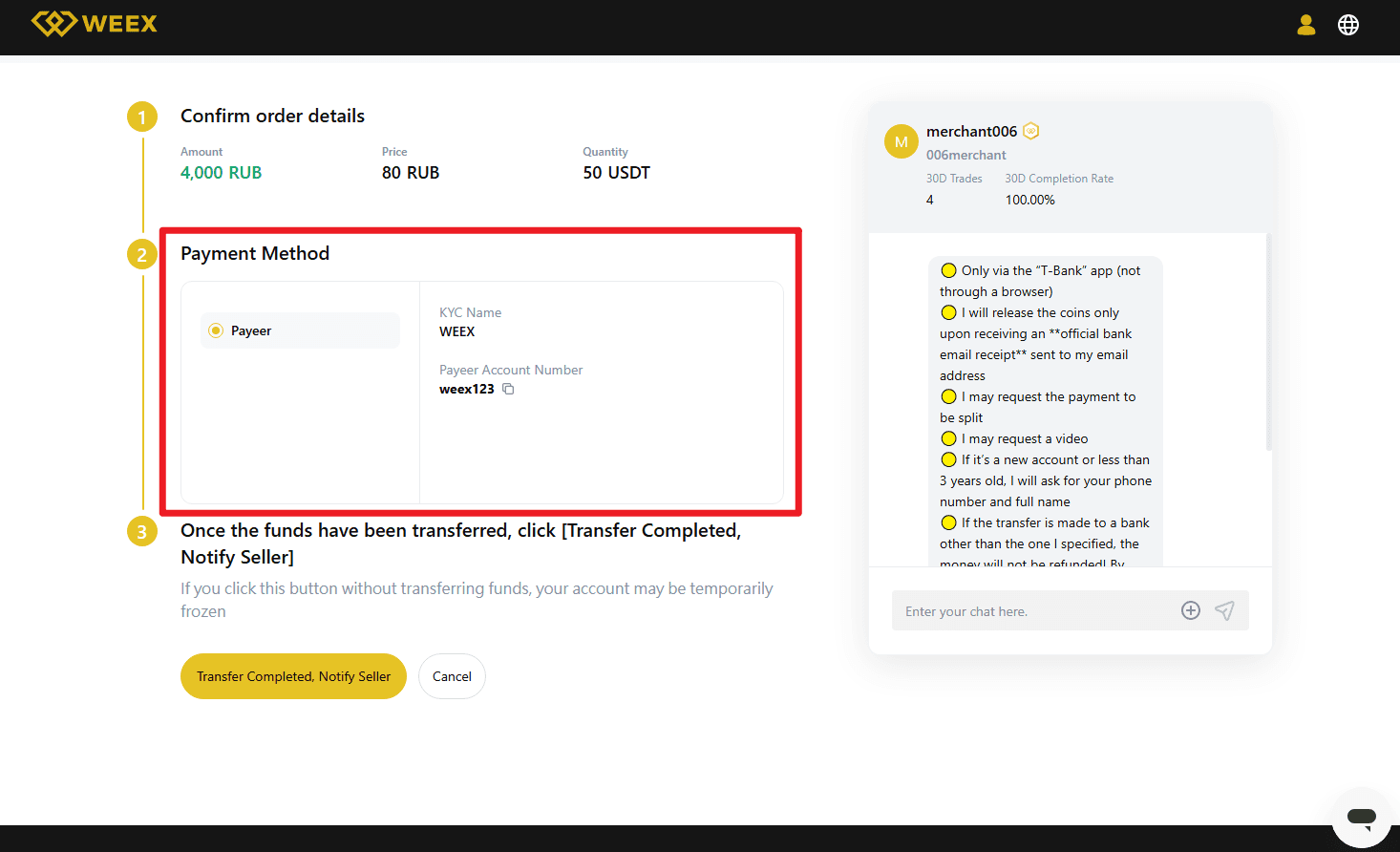
- After completing the payment, return to the order page and click "Transfer Completed, Notify Seller".
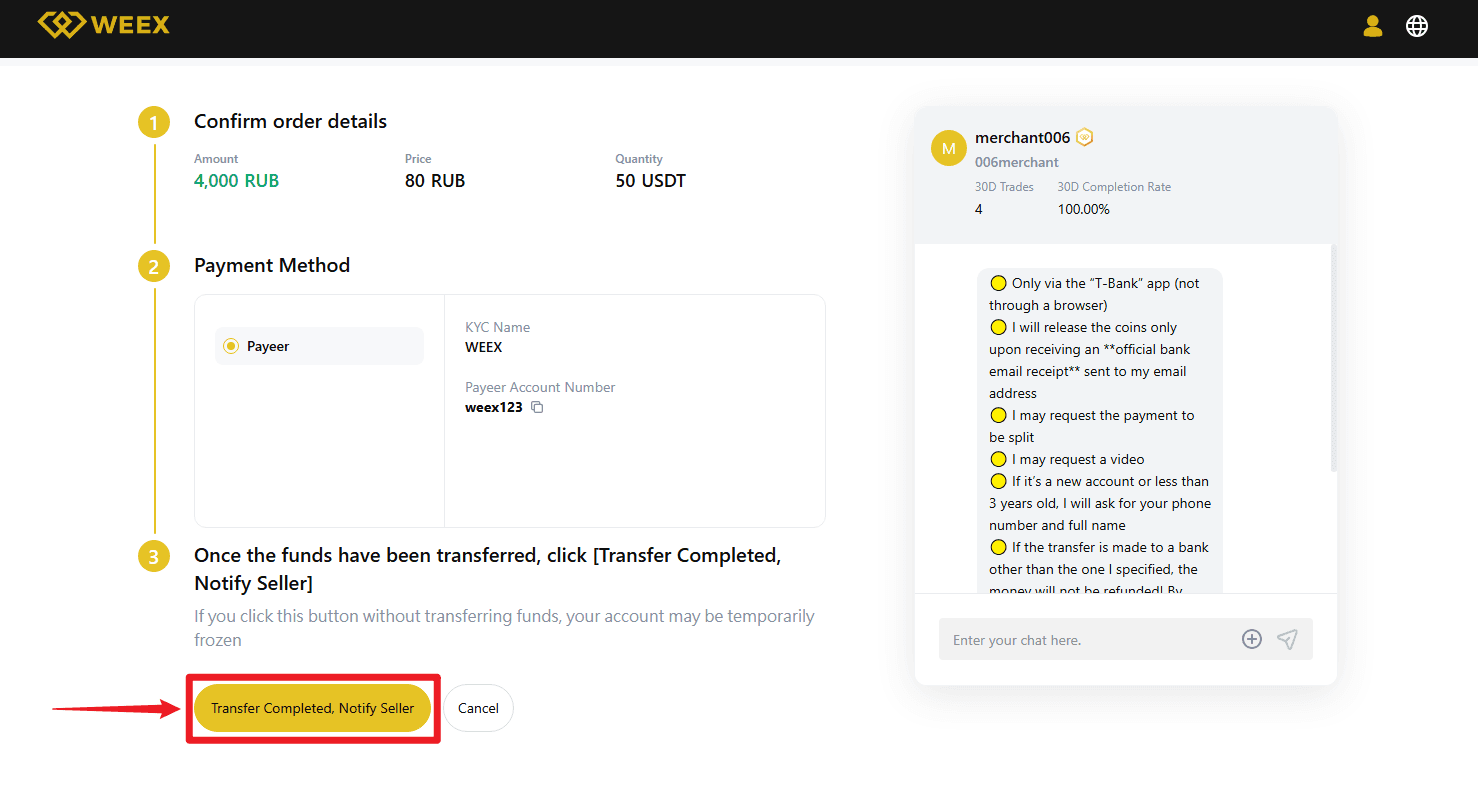
- Important notes: - Always use the payment method specified by the seller to complete the transaction - Do not click "Cancel order" before receiving a refund from the seller - Do not click "Transfer Completed, Notify Seller" until the payment is fully completed
Step 6: Receive the cryptocurrency
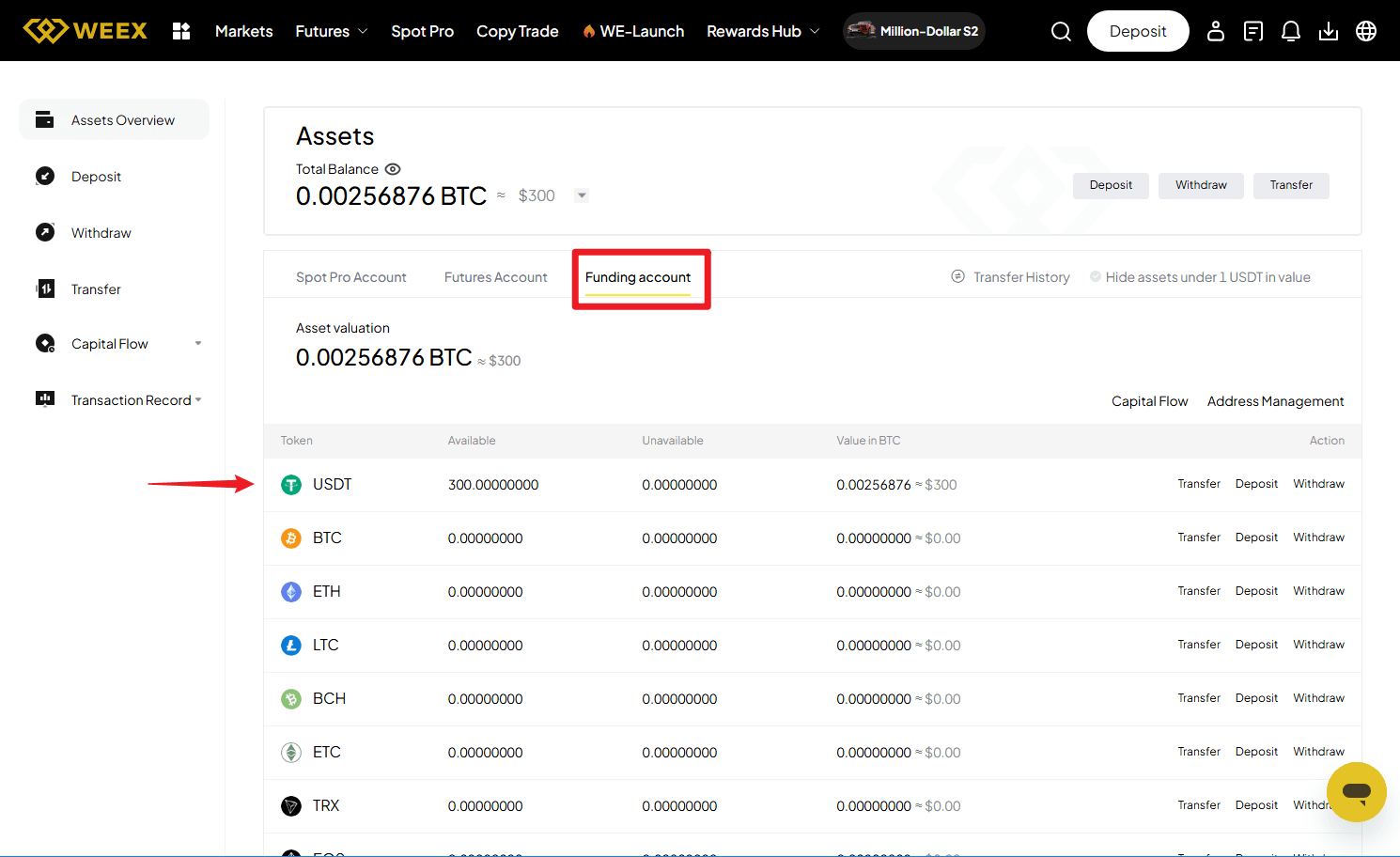
- Once the seller confirms receipt of payment, the cryptocurrency will be released to your WEEX funding account.
- You can then go directly to your Funding Account to view your purchased crypto assets.
-- Price
This content is provided for general informational purposes only and doesn't constitute financial, investment, legal, or tax advice. Any events, rewards, online promotions, or related information mentioned herein should not be considered a recommendation, solicitation, or invitation to purchase, sell, trade, or otherwise deal in any crypto assets. Crypto assets are highly volatile and may result in loss. The availability of WEEX services, products, and related events may vary by region. You are responsible for ensuring that your participation is in accordance with applicable local laws and regulations.
You may also like
Crypto News API for AI Agents: What the WEEX Endpoints Return

WEEX Crypto Gift: The Perfect Gift for Every Crypto Lover in 2025
What Should I Do If My KYC Verification Failed on WEEX?
Are There Any Fees for Deposits or Withdrawals On WEEX?
What Are the Trading Fees on WEEX?
What Are the WEEX Withdrawal Fees?
How Can I Reduce My Trading Fees?
Guide to Spot and Futures Trading Fees on WEEX
What Is Tangem Wallet? A Complete Beginner's Guide
MetaMask Transaction Stuck or Failed? Here's How to Fix It

John Ternus Is Apple's New CEO: What He Inherits After 15 Years of Tim Cook
Meta Stock Rallied After a $16.68 Billion Settlement: Why a Legal Loss Sent Shares Higher
Easypaisa P2P Payments: How to Choose a Merchant and Confirm a USDT Order
XST Stock: Why This Ticker Points to Four Completely Different Companies
Should You Buy AVGO Stock? What a Street Wide "Strong Buy" Rating Actually Requires
Broadcom Stock Price Fell After 86% Revenue Growth: What the Q4 Guidance Gap Actually Means
AAPL Under Ternus: What Apple's CEO Change Means for Traders
CyberLeek Crypto: The GTA 6 Token's Exit Liquidity Problem
AIINU After LongX: What the NVDA 3x Fee Loop Actually Pays
MetaMask Seed Phrase & Private Key Security Guide
How to Install and Set Up MetaMask (2026 Updated Guide)
What Is MetaMask? A Complete Beginner's Guide
What Is Arbitrum (ARB) and How Does This Ethereum Layer 2 Work?
Is Arbitrum (ARB) Worth Buying After Its 30% Rally? An Analysis About Utility, Supply and Risks
GoPro Stock Soared 40%: What the $1.14 Merger Actually Pays
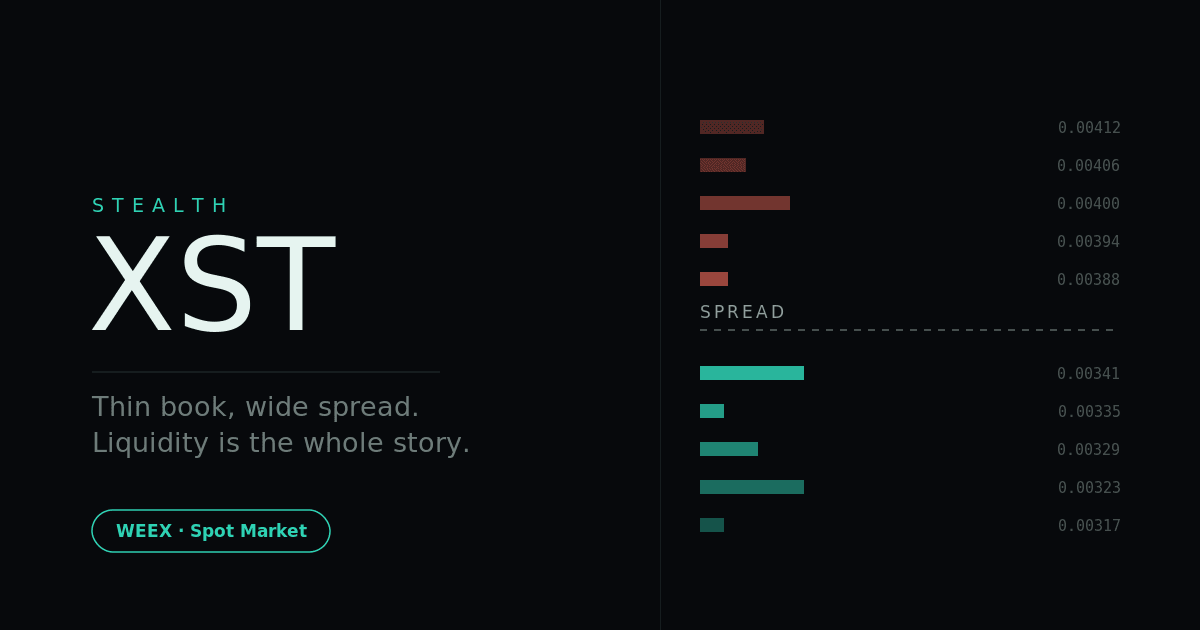
Stealth XST Coin: The $1,806 Daily Volume Behind a $2.3M Cap
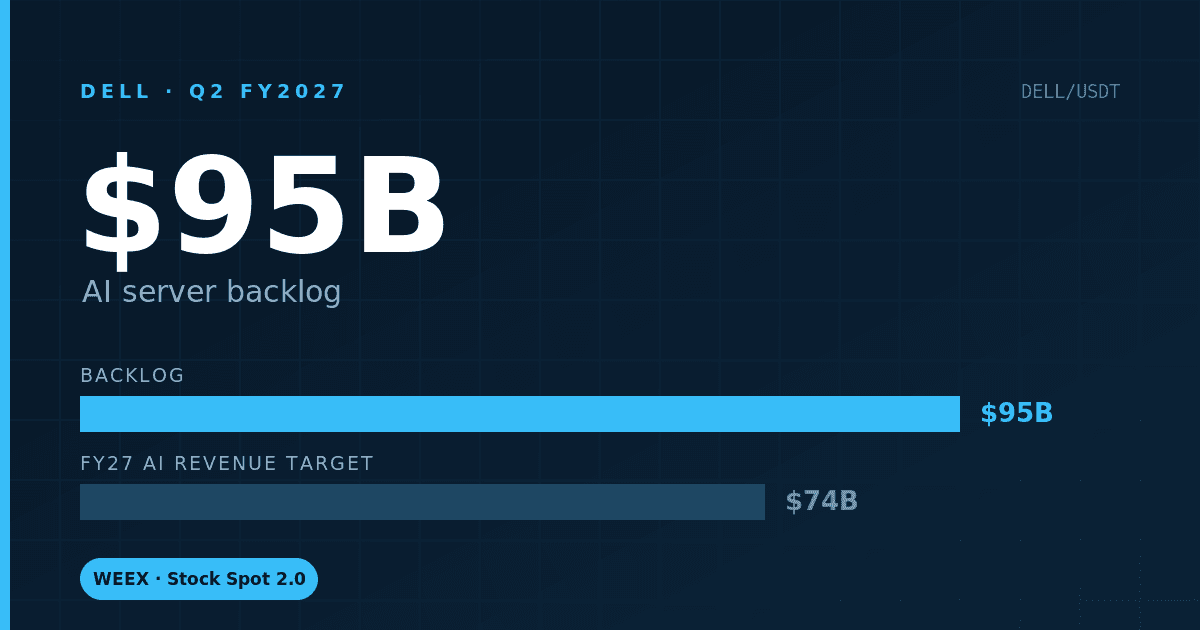
Dell Earnings: $95B AI Backlog Now Dwarfs Its Own Guidance
Fable 5.1: What Anthropic's New Model Means for AI Tokens

Dell Stock Surges 9.4% After Smashing Earnings Estimates: What Drove the AI Server Beat
Why Is GoPro Stock Surging 80%? A YouTuber's 8.5% Stake and a Short Squeeze Collide
Crypto News API for AI Agents: What the WEEX Endpoints Return
WEEX Crypto Gift: The Perfect Gift for Every Crypto Lover in 2025
What Should I Do If My KYC Verification Failed on WEEX?
Are There Any Fees for Deposits or Withdrawals On WEEX?
What Are the Trading Fees on WEEX?
What Are the WEEX Withdrawal Fees?



